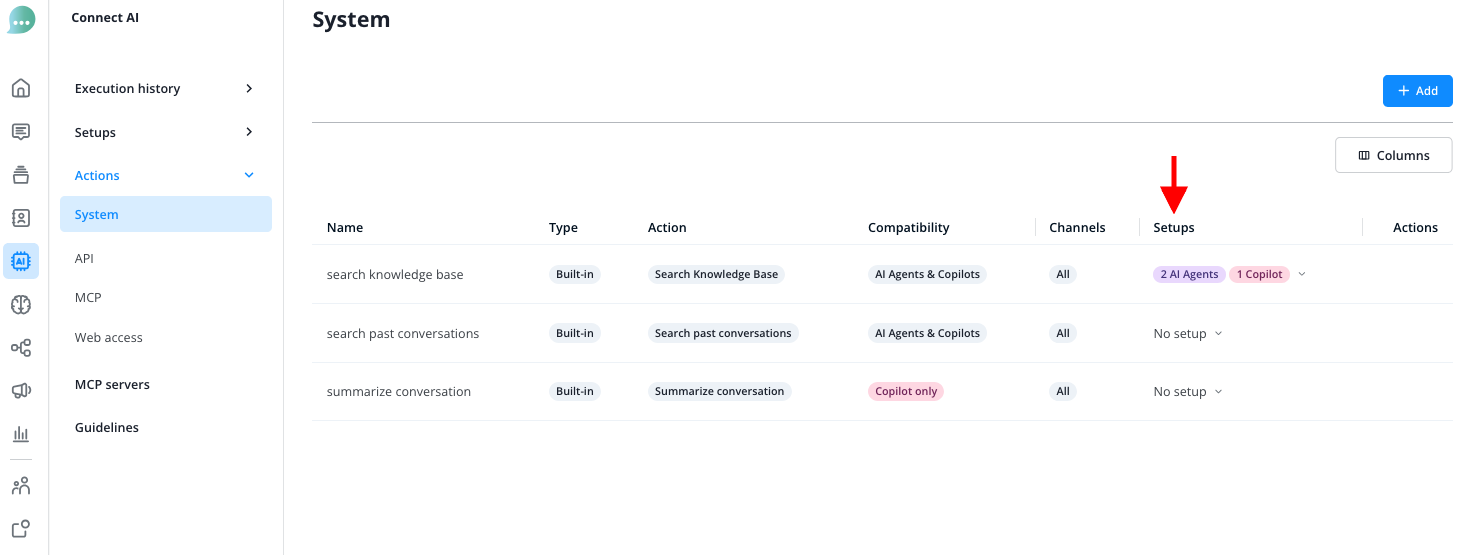
With System Actions, you give your AI Agent action instructions that are not based on the knowledge database, but rather on direct inputs from contacts, for example.
An example:
Have your AI Agent automatically initiate a transfer of the conversation to a human operator when the contact uses certain keywords or the AI detects a specific tone. This way, you can immediately connect contacts who are considering cancellation with the appropriate team member, for example.
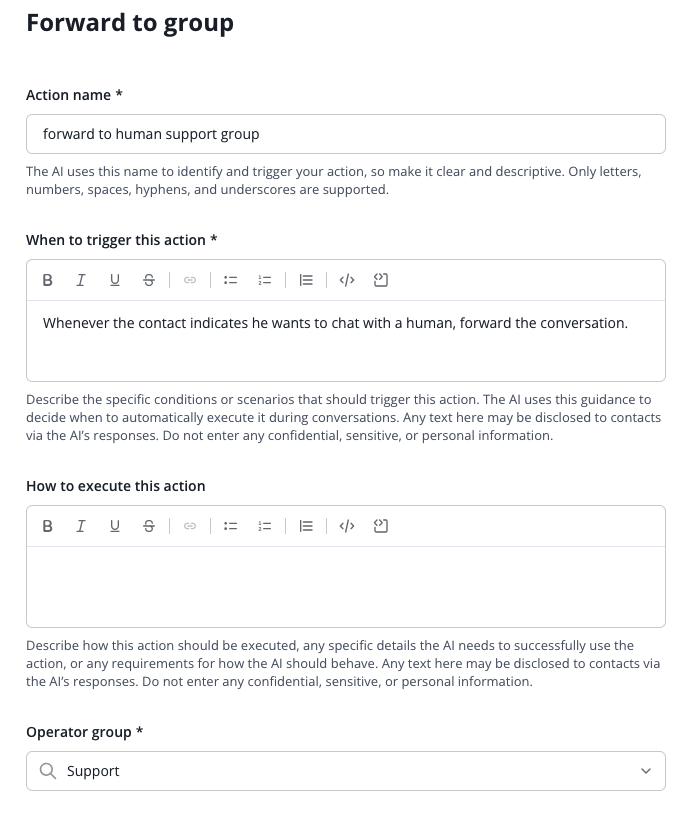
Create a new Action by clicking the "Add" button in the Connect AI menu under Actions > System Actions. Then select the desired action type:
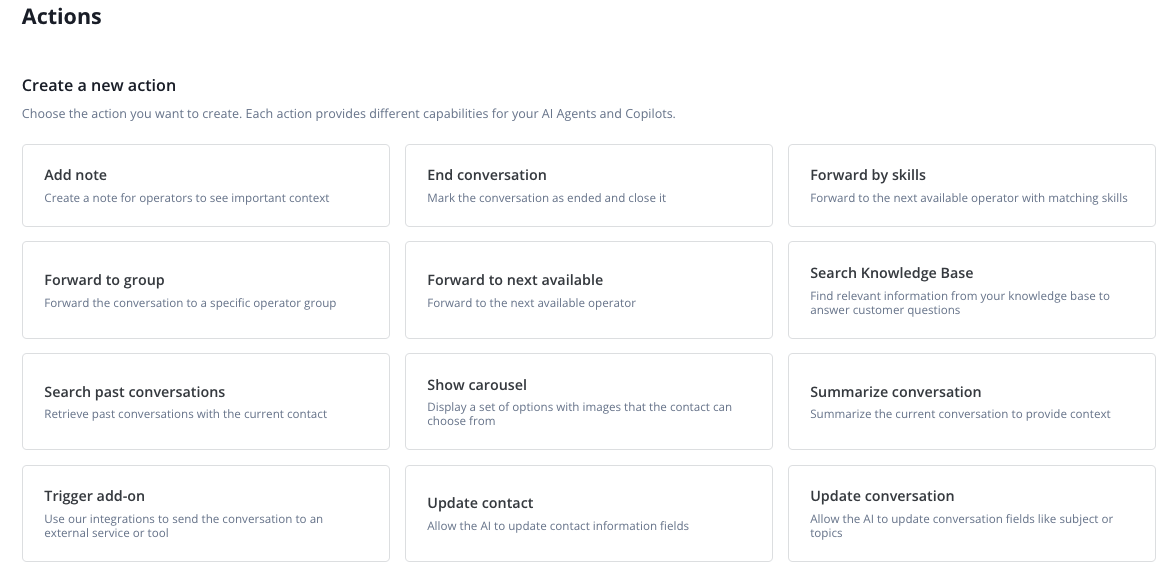
- Add note
- creates a note with important context for operators
- available for AI Agents on all channels
- End conversation
- marks the conversation as ended and closes it
- available for AI Agents on all channels
- Route based on skills
- routes the conversation to the next available operator with matching skill or skill set
- available for AI Agents on all channels
- Route based on operator groups
- routes the conversation to a specific operator group
- available for AI Agents on all channels
- Route to next available operator
- routes the conversation to the next available operator
- available for AI Agents on all channels
- Search knowledge base
- finds relevant information from the knowledge base to answer customer questions
- available for AI Agents and Copilot on all channels
- Search past conversations
- retrieves previous conversations with the same contact
- available for AI Agents and Copilot on all channels
- Display carousel
- displays a selection of options with images for the contact to choose from
- available for AI Agents on all channels
- Summarize conversation
- summarizes the current conversation to provide context
- available for Copilot on all channels
- Trigger add-ons
- sends the conversation to an external service or tool via integrations
- available for AI Agents and Copilot on all channels
- Update contact
- allows the AI to update contact information
- available for AI Agents on all channels
- Update conversation
- allows the AI to update conversation fields such as subject or topics
- available for AI Agents on all channels
Give the action an internal name and then describe as precisely as possible in the "Prompt" field in which situations the bot should execute the action.
After you have created a System Action, you still need to make it available to your AI Agent.
Select from the overview which System Actions should be available to which AI Agents and Copilots.